How to Quickly Clear Inkjet Printer Clogs – A Simple Guide
Understanding Why Inkjet Nozzles Clog
When you’re trying to print that important report and the pages come out with missing lines or faint patches, the culprit is often a clogged nozzle. Inkjet heads are tiny, and the fluid they push through can dry out, especially if the printer sits idle for days. Fixing inkjet printer clogs isn’t a mystical task; it’s mostly about getting rid of dried ink and keeping the flow steady. Knowing the why helps you tackle the problem without guesswork.
Gather the Right Tools Before You Start
Rushing in with the wrong equipment can make a simple clean‑up turn into a costly repair. Here’s a quick checklist:
- Lint‑free microfiber cloths
- Distilled water (tap water leaves mineral deposits)
- Isopropyl alcohol (70% or higher)
- Disposable syringes or ink‑jet cleaning kits
- Protective gloves – ink can stain skin
Having these on hand means you won’t need to pause mid‑process to run to the store.
Step‑by‑Step Cleaning Process
Follow these actions in order. The sequence is designed to loosen dried ink before you risk pushing it deeper into the printhead.
1. Power‑Down and Unplug
Always start by turning off the printer and unplugging it. This protects the electronics and prevents accidental ink sprays.
2. Remove the Cartridges
Gently lift out the ink cartridges. Place them on a protected surface; you’ll reinstall them later, so keep the caps on if they have them.
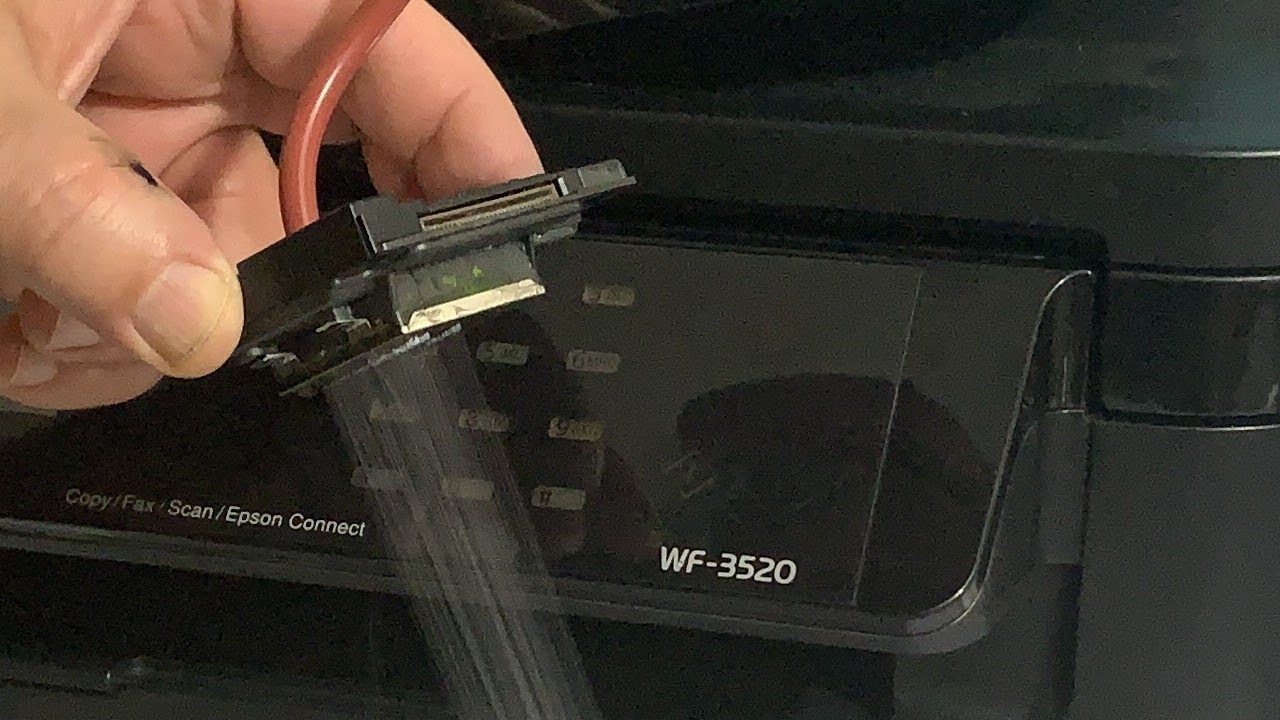
3. Soak the Printhead
Mix equal parts distilled water and isopropyl alcohol in a shallow dish. Submerge the printhead (the part with the nozzles) for 5‑10 minutes. This solution softens dried pigment without harming the delicate components.
4. Manual Flush with a Syringe
If you have a cleaning kit, draw a small amount of the same solution into a syringe. Carefully inject it into the nozzle ports, using just enough pressure to move the fluid but not so much that you damage the tiny channels.
5. Wipe and Dry
Take a lint‑free cloth and pat the printhead dry. Avoid rubbing, which could scratch the nozzle surface.
6. Reinstall Cartridges and Run a Test
Slide the cartridges back, plug the printer in, and run a built‑in cleaning cycle if your model offers one. After that, print a test page. If you still see gaps, repeat the soak‑flush routine once more.
Preventive Maintenance to Keep Clogs at Bay
Cleaning is reactive; prevention is proactive. Here are habits that reduce the odds of future clogs:
- Print a small document weekly. Even a quick page keeps ink flowing and prevents it from drying in place.
- Store cartridges upright. This orientation helps the ink settle at the tip, ready for use.
- Use high‑quality ink. Cheap, dye‑based inks tend to dry faster than pigment‑based options.
- Keep the printer in a low‑humidity environment. Excessive dryness accelerates ink evaporation.
When to Call a Professional
If you’ve gone through the cleaning steps twice and the test page still shows streaks, the blockage may be deeper than a DIY approach can reach. Professional servicing can replace the printhead or calibrate the ink delivery system. While it costs more than a home fix, it’s often cheaper than buying a brand‑new printer.
Quick FAQ
Q: Can I use tap water instead of distilled water for cleaning?
A: It’s not recommended. Minerals in tap water can leave deposits that attract more ink, potentially creating new clogs.
Q: How often should I run a cleaning cycle?
A: Once a month is a safe baseline for occasional users; heavy users might benefit from a weekly cycle.
Q: Will using cheap third‑party cartridges increase clog risk?
A: Generally, yes. Inconsistent ink formulations can dry unevenly, leading to more frequent blockages.
Q: Is it safe to use a hairdryer to heat the printhead?
A: No. Direct heat can warp the printhead or damage the ink chambers. Stick to the soaking method.

![Epson To 41 Coloring Pages [2025]](https://i.ytimg.com/vi/BAEGXiqOJMg/maxresdefault.jpg)

:quality(30):format(webp):focal(0.5x0.5:0.5x0.5)/tribunnews/foto/bank/originals/film-kemah-terlarang-kesurupan-massal.jpg)