How Tesla’s Sentry Mode Safeguards Your Car
If you’ve ever wondered why a Tesla seems to watch its surroundings even when you’re not behind the wheel, the answer lies in Sentry Mode. This built‑in security feature turns the car’s exterior cameras into a vigilant guardian, ready to record suspicious activity and even alert you in real time. Understanding how it works can make the difference between a minor scrape and a costly theft.
What Is Tesla Sentry Mode and How It Protects Your Car
Sentry Mode is an optional, always‑on monitoring system that activates whenever the vehicle is locked and idle. Using the same eight cameras that power Autopilot, it scans for motion, identifies potential threats, and captures video evidence. When the system detects something out of the ordinary—like a person leaning on the hood or a nearby vehicle nudging the bumper—it escalates from a simple “standby” state to a full‑blown recording mode.
How the System Detects and Responds to Threats
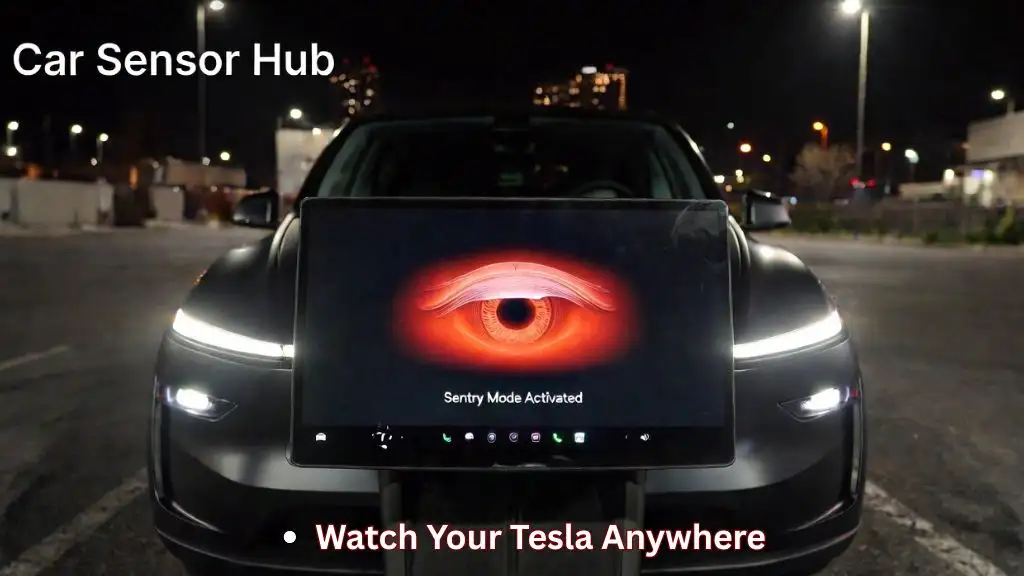
The first line of defense is the “Standby” mode, during which the cameras continuously analyze the environment for any movement. If the software flags an object that meets its threshold for suspicious behavior, it switches to “Alert” mode. In this state, the touchscreen flashes a yellow border, and the car starts saving a 10‑second pre‑trigger clip followed by up to a minute of post‑trigger footage.
Should the situation worsen—say, a window shatters or a door is forced open—the system escalates to “Alarm” mode. The car’s exterior lights flash, the alarm sounds, and a full video segment is stored on the USB drive you’ve installed. If you have the Tesla mobile app linked, a push notification instantly tells you what’s happening, and you can even view a live feed of the cameras.
Key Benefits and Real‑World Examples
- Deterrence. The flashing lights and audible alarm often scare off would‑be thieves before any damage occurs.
- Evidence. High‑resolution video captured by the car’s cameras can be handed over to police, increasing the odds of identifying perpetrators.
- Insurance perks. Some insurers offer discounts for vehicles equipped with advanced security features like Sentry Mode.
Owners have reported scenarios ranging from vandals spray‑painting a Tesla’s door to a child accidentally breaking a side mirror. In most cases, the presence of Sentry Mode either stopped the act outright or provided clear footage that helped resolve the incident quickly.
Potential Drawbacks and Battery Considerations
Running Sentry Mode does consume energy, typically drawing about 200‑300 watts per hour when the car is stationary. Over a full night, that can translate to roughly 1–2% of the battery’s range. Tesla mitigates this by automatically turning the system off after a configurable period of inactivity, but owners who park in high‑risk areas may choose to keep it on longer.
Another limitation is storage. The video files are saved to a USB flash drive formatted in FAT32 or exFAT; if the drive fills up, older clips are overwritten. It’s wise to periodically check the drive’s capacity and replace it with a larger one if you rely heavily on Sentry Mode.
Customizing Settings to Fit Your Lifestyle
Through the car’s touchscreen or the mobile app, you can fine‑tune when Sentry Mode activates. Options include:
- Activating only at specific locations (home, work, or a saved “trusted” place).
- Choosing between “Standby” and “Alert” thresholds, which adjusts sensitivity to motion.
- Setting a maximum duration for each alert before the system returns to standby.
These controls let you balance security with energy efficiency. For example, many owners disable the feature while charging overnight at home, where the risk of theft is low, but keep it on in public parking lots.
FAQ
What triggers Tesla Sentry Mode?
The system watches for any movement that matches its internal criteria for “suspicious.” This includes people approaching the car, other vehicles bumping into it, or objects striking the bodywork. The sensitivity can be adjusted in the settings.
Can Sentry Mode be disabled completely?
Yes. You can turn it off from the touchscreen, the mobile app, or by selecting “Off” in the vehicle’s safety menu. Some owners disable it temporarily when they know they’ll be parked in a low‑risk area for an extended period.
Does Sentry Mode significantly affect battery range?
Running Sentry Mode draws a modest amount of power—about 200‑300 watts per hour. Over a typical night, that usually costs 1–2% of the total range, but the impact can increase if the feature stays active for many hours straight.
![What Is Tesla Sentry Mode? [Your Ultimate Guide]](https://teslastir.com/wp-content/uploads/2022/08/tesla-sentry-mode-setting.jpeg)