Mastering the 5×5 Grid: The Complete Handbook
Whether you’re a teacher designing classroom activities, a parent looking for a fun brain‑boosting game, or a designer wanting to structure content, the 5×5 grid is a versatile tool that can make complex tasks feel simple. In this guide we’ll walk through what makes the 5×5 layout special, how to set it up, and practical ways to use it in everyday life.
Why the 5×5 Grid Stands Out
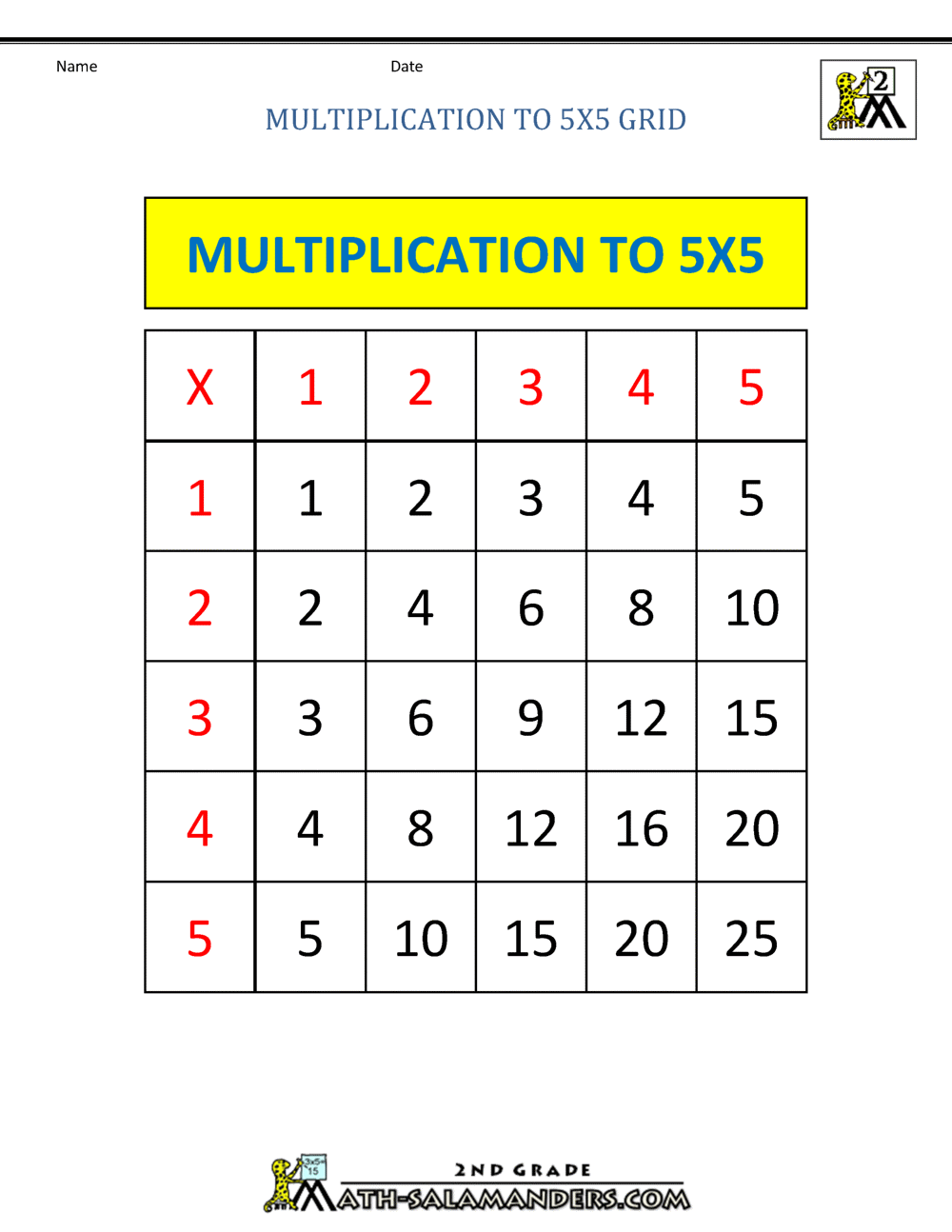
A 5×5 grid consists of 25 cells—five rows and five columns. The number 25 is a perfect square, giving the grid a balanced visual weight that’s easy to scan. Because 25 is also a common count in many educational and recreational activities, it naturally lends itself to categorization, comparison, and incremental learning.
- Easy to remember: 25 items fit neatly in a single page without clutter.
- Versatile: Works for puzzles, charts, schedules, and memory drills.
- Scalable: You can duplicate or expand the grid for more complex projects.
Common Uses of a 5×5 Grid
Here are a few contexts where the 5×5 grid shines:
- Word and number puzzles – Sudoku variants, word searches, and cross‑numbers.
- Memory training – Flashcard layouts, matching games, and spaced repetition schedules.
- Planning and organization – Weekly planners, habit trackers, and project timelines.
- Design and layout – Photo collages, graphic templates, and interface wireframes.
Setting Up Your 5×5 Grid
Creating a clean, functional grid is the first step toward mastery. You can use paper, a spreadsheet, or a digital drawing tool.
Paper or Printable Templates
Print a sheet that contains a 5×5 table. If you need a quick sketch, draw a big square, split it into five equal parts horizontally and vertically. Label the rows A–E and the columns 1–5 to keep track of coordinates.
Spreadsheet Method
In Excel or Google Sheets, simply highlight a 5×5 block, then use the “Borders” tool to outline each cell. Rename the sheet “5×5 Grid” so it’s easy to return to.
Digital Drawing Apps
Apps like Adobe Illustrator or free tools such as Canva let you create a grid by setting up guides or using a table tool. Export the file as a PDF for sharing.
Applying the 5×5 Grid in Learning
The grid’s structure is ideal for chunking information. Below are three learning scenarios that illustrate this.
1. Vocabulary Expansion
Place a new word in the first column, its definition in the second, a synonym in the third, an antonym in the fourth, and an example sentence in the fifth. This turns a single word into a mini‑lesson that’s easy to review.
2. Memory Match Game
Create pairs of related items—such as an animal picture and its name—across the grid. Cover the cells and flip two at a time. The 25‑cell layout keeps the game manageable yet challenging for middle‑age learners.
3. Daily Habit Tracker
Mark each day of a month across the first column. In the remaining four columns, list the habits you want to track: water intake, exercise, reading, and sleep. A tick in the cell indicates completion.
Designing with the 5×5 Grid
Graphic designers appreciate the grid’s symmetry. Use it as a foundation for layout decisions.
Photo Collage
Place a photo in each cell to create a uniform collage. Because the grid is square, the final piece is balanced and easy to scale for print or social media.
Web Wireframes
Sketch the main sections of a webpage across the grid: header, navigation, content blocks, sidebars, and footer. Each cell can represent a distinct component, ensuring consistent spacing.
Tips for Long‑Term Success
- Consistency is key: Use the same grid layout across projects to build muscle memory.
- Color code: Assign a color to each column or row to highlight categories or progress.
- Review regularly: Revisit completed grids to reinforce learning or assess design choices.
- Adapt as needed: If 25 items become too many or too few, split the grid into two 5×5 tables or merge cells.
Frequently Asked Questions
What’s the best software for creating a 5×5 grid?
Google Sheets and Microsoft Excel are straightforward for quick grids. For more visual projects, Canva and Adobe Illustrator offer flexible design tools.
Can a 5×5 grid be used in coding tutorials?
Yes—developers often use 5×5 grids to illustrate matrix operations, game board logic, or UI component placement.
How does a 5×5 grid improve memory?
By organizing items spatially, the grid taps into the brain’s natural pattern recognition, making recall faster and more reliable.
Is a 5×5 grid suitable for children?
Definitely. Its simple 25‑cell layout can be adapted for coloring books, learning games, or basic math exercises.
With these strategies, you’ll be able to harness the power of the 5×5 grid across teaching, design, and daily organization. Start small, experiment with different applications, and watch how a simple grid transforms complex tasks into clear, manageable steps.