How to Replace the Battery in a 2007 Honda Accord Key
Understanding Why Your Accord Key Needs a New Battery
The tiny button‑press that unlocks your 2007 Honda Accord can feel like a small miracle—until the battery sputters and the signal fades. Most owners notice a slower response or a completely dead key fob before the next scheduled service. In a vehicle that’s already over a decade old, the 3‑volt coin cell inside the remote is the part that ages fastest, typically lasting between two and three years depending on usage.
Because the key itself is sealed, the replacement process is straightforward but demands a gentle touch. Skipping this guide often leads to forced prying, which can crack the plastic housing and turn a simple battery swap into an expensive key replacement.
Gathering the Right Tools and Parts
- Battery type: CR2032 lithium coin cell (the standard for most Honda key fobs of this era).
- Small flat‑head screwdriver or a plastic pry tool: To open the key shell without marring the surface.
- Soft cloth or microfiber towel: Keeps fingerprints off the new battery.
- Optional: A pair of tweezers for handling the tiny battery.
All of these items can be found at an auto parts store, a general retailer, or online. When purchasing, verify that the battery is labeled “CR2032” and that the packaging lists a voltage of 3 V.
Step‑by‑Step 2007 Honda Accord Key Battery Replacement
1. Locate the seam on the key fob
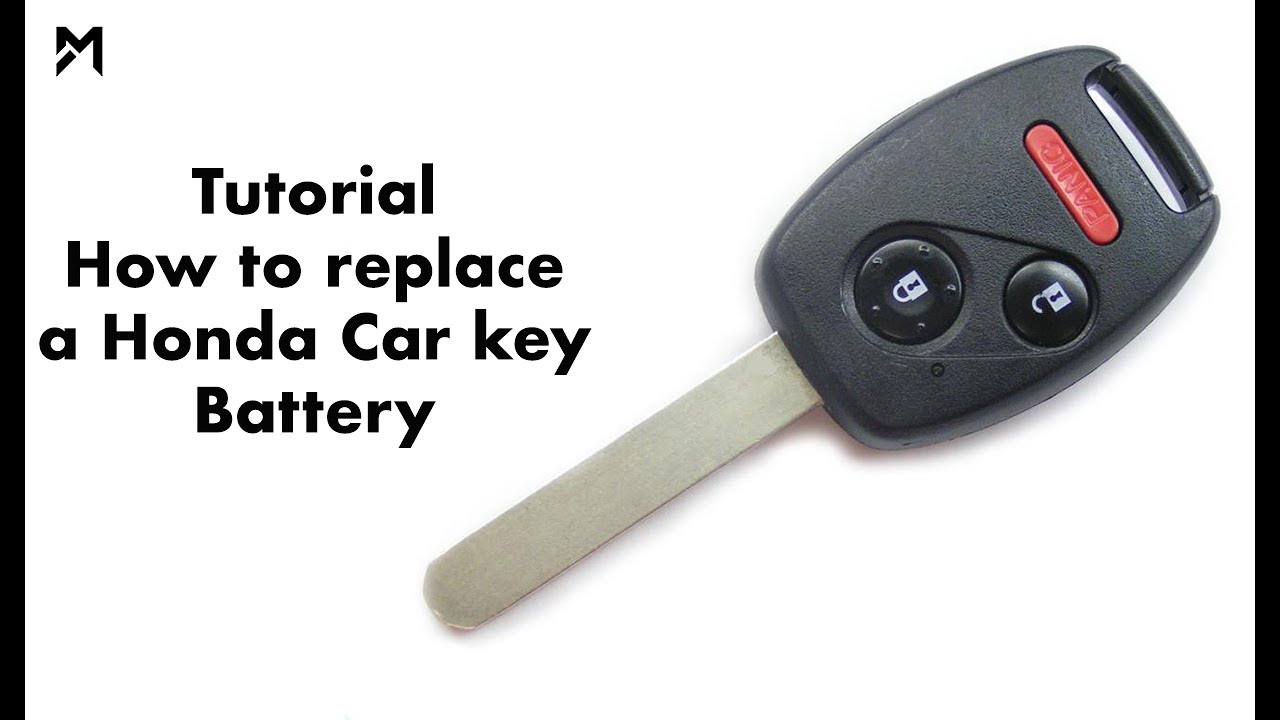
Hold the key in your palm with the front side (the side that displays the Honda logo) facing you. You’ll see a faint groove running around the edge. That’s the seam where the two plastic halves meet.
2. Gently pry the halves apart
Insert the tip of a flat‑head screwdriver or a plastic pry tool into the seam. Apply just enough pressure to pop the shell open; you should hear a soft click. If you feel resistance, rotate the tool around the seam rather than forcing it in one spot.
3. Remove the old CR2032 battery
The battery sits flat against a metal contact on the interior. Use a fingertip or tweezers to lift it out, taking note of the orientation—typically the “+” side faces up toward the plastic cover.
4. Insert the new battery
Place the fresh CR2032 in the same position, ensuring the “+” side matches the previous orientation. Press it gently until it rests firmly on the metal contact.
5. Reassemble the key fob
Align the two halves of the shell and press them together until you hear the familiar snap. Give the assembled fob a quick shake; if it feels loose, re‑seat the halves and press again.
6. Test the remote
Stand near your Accord, press the lock button, and listen for the lock’s click. If the doors respond, the battery swap succeeded. If not, double‑check the battery’s orientation or repeat the reassembly step.
Tips for Extending the Life of Your New Battery
Even a fresh CR2032 can lose power faster than expected if you habitually press the buttons without need. Here are a few low‑effort habits that make a difference:
- Keep the fob away from magnets or strong radio‑frequency devices, such as smartphones on a charger.
- Store the key in a cool, dry place when not in use—extreme heat can accelerate depletion.
- Avoid pressing multiple buttons simultaneously; each press draws a small burst of current.
- Consider a protective silicone cover that adds a thin barrier against dust and moisture.
When to Seek Professional Help
If the fob still refuses to communicate after a careful battery swap, the issue may lie deeper. Common culprits include a corroded contact spring, a broken antenna coil, or internal circuitry damage from a drop. In those cases, a Honda dealership or a qualified locksmith can diagnose and repair the problem, often at a fraction of the cost of a brand‑new key.
Frequently Asked Questions
Q: Can I use a rechargeable CR2032 battery instead of a disposable one?
A: Rechargeable cells exist, but they typically have a lower voltage (around 2.8 V) which may cause inconsistent performance in a Honda key fob. For reliable operation, stick with a standard alkaline CR2032.
Q: How often should I replace the key battery?
A: Most owners find that the battery lasts about two to three years under normal use. If you notice delayed responses or intermittent locking, it’s a good cue to replace the cell.
Q: Is there any risk of damaging the key’s programming during a battery change?
A: No. The programming is stored in the fob’s microchip, which isn’t affected by a power loss. After a fresh battery is installed, the key will resume normal communication without any re‑pairing.
Q: Can I replace the battery myself without voiding the warranty?
A: Yes. Honda designs the key fob for owner maintenance, and a battery swap does not impact the vehicle’s warranty coverage.