How Office Automation Drives Productivity & Efficiency
In today’s fast‑paced business environment, the phrase office automation has become a cornerstone of modern workflow management. It isn’t just about replacing paper with digital tools; it’s about redesigning how people interact with information, making tasks faster, more accurate, and less prone to human error. By weaving automation into everyday processes, companies can free up valuable time for strategic thinking, innovation, and customer engagement.
What Is Office Automation?
Office automation refers to the use of software and digital platforms to streamline repetitive tasks that were once performed manually. This can range from automated email routing and document management to advanced robotic process automation (RPA) that handles complex data entry. The goal is to reduce friction, eliminate bottlenecks, and ensure consistency across teams.
Core Benefits: Productivity & Efficiency
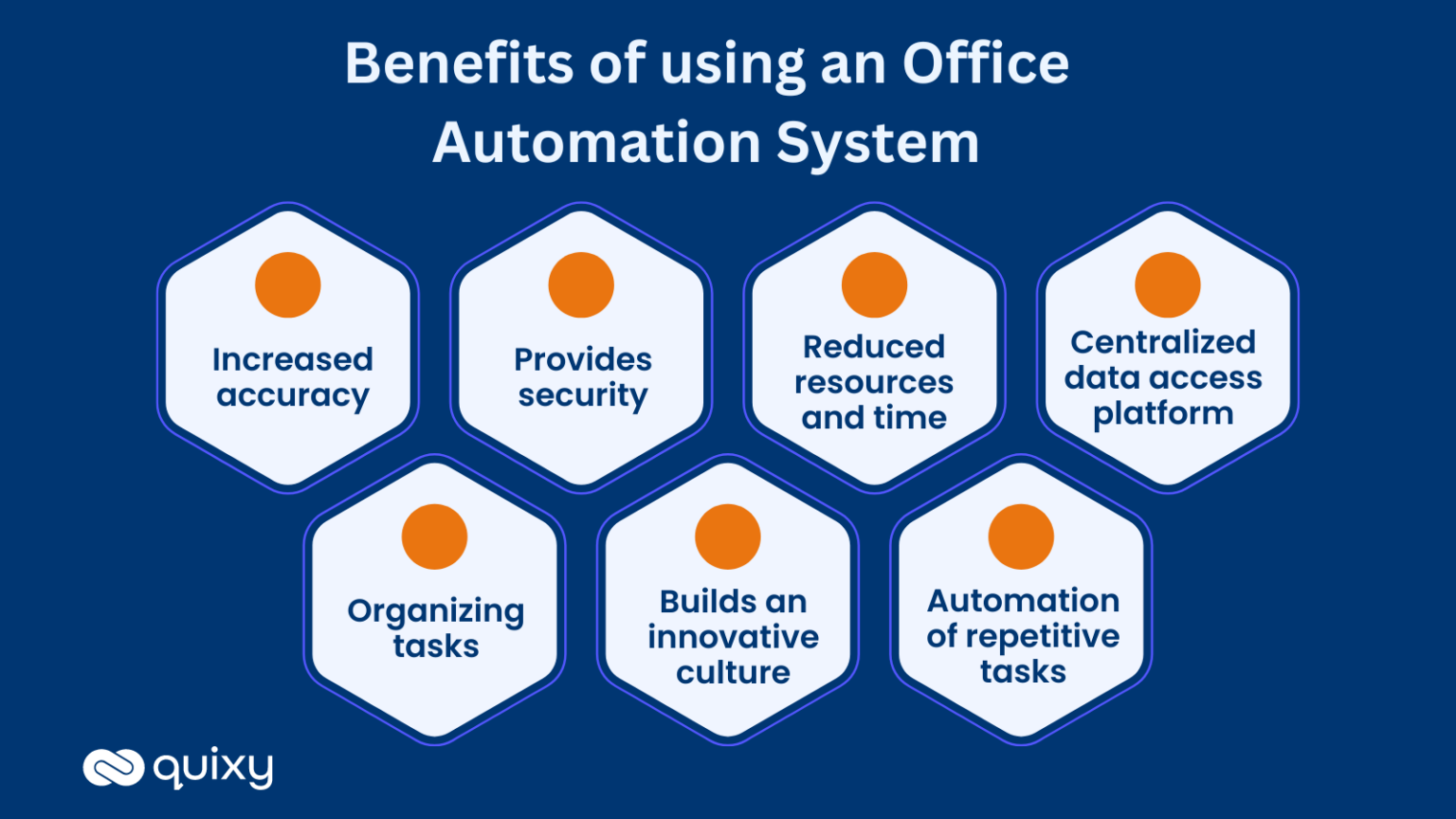
- Speed – Tasks that used to take hours can now be completed in minutes.
- Accuracy – Automated workflows eliminate the slip‑ups that come with manual input.
- Scalability – Processes can handle higher volumes without adding staff.
- Employee Satisfaction – Workers focus on high‑value work instead of tedious chores.
- Cost Savings – Fewer errors mean fewer rework cycles and lower operational costs.
Key Technologies Powering Office Automation
1. Cloud‑Based Collaboration Suites
Platforms such as Microsoft 365 and Google Workspace provide shared document repositories, real‑time editing, and automated version control. When combined with workflow add‑ons, they can trigger approvals, reminders, and archival steps automatically.
2. Robotic Process Automation (RPA)
RPA bots mimic user actions on software interfaces—clicking, typing, reading—allowing them to pull data from one system and push it into another. They excel at high‑volume, rule‑based operations like invoice processing and payroll.
3. Artificial Intelligence and Natural Language Processing
AI can classify documents, extract key data, and even draft responses. For instance, an email auto‑categorizer can route messages to the correct department, while a chatbot handles basic inquiries, freeing up human agents.
4. Integration Platforms (iPaaS)
Integration‑as‑a‑Service solutions connect disparate applications, ensuring data flows seamlessly between CRM, ERP, HRIS, and other systems without manual intervention.
Implementing Automation: Practical Steps
- Audit Current Processes – Map out each step, noting time spent, error rates, and pain points.
- Prioritize High‑Impact Tasks – Start with activities that consume the most time or have frequent errors.
- Choose the Right Tool – Match the problem to the solution: simple rules may only need a spreadsheet macro, while complex data transfers require RPA.
- Build in Flexibility – Design workflows that can be tweaked as business needs evolve.
- Train and Communicate – Employees need clear guidance on how to interact with new tools and understand the benefits.
- Monitor & Iterate – Use dashboards to track performance and adjust parameters as necessary.
Measuring Return on Investment (ROI)
Quantifying the gains from office automation involves both tangible and intangible metrics:
- Time Savings – Calculate the total hours reduced across all automated tasks.
- Cost Reduction – Factor in labor cost savings and decreased rework expenses.
- Error Rate Decline – Measure the drop in mistakes after automation is in place.
- Employee Engagement Scores – Track changes in satisfaction surveys before and after implementation.
- Throughput Increase – Observe how many more tasks can be completed per day or week.
By combining these indicators, managers can present a clear financial narrative that justifies further automation investments.
Common Challenges and How to Overcome Them
- Change Resistance – Employees may fear job loss. Emphasize how automation frees them for creative tasks.
- Integration Hurdles – Legacy systems can be stubborn. Use middleware or phased migration to ease the transition.
- Initial Cost – Upfront licensing and training can be steep. Offset this with a phased rollout and quick win pilots.
- Security Concerns – Ensure that automated workflows adhere to data governance policies and are audited regularly.
Future Outlook: Beyond Routine Tasks
The next wave of office automation is moving toward predictive analytics and smart assistants. These systems can anticipate resource needs, suggest optimal schedules, or flag potential compliance issues before they arise. When combined with real‑time dashboards, teams can make informed decisions instantly, further amplifying productivity gains.
Frequently Asked Questions
What types of tasks are best suited for automation?
Tasks that are repetitive, rule‑based, and high‑volume, such as data entry, invoice processing, and basic customer queries, typically benefit most.
Do office automation tools replace human workers?
No. Automation frees employees from mundane chores so they can focus on strategic, creative, and high‑impact work.
How do I choose the right automation platform?
Start with a clear audit of your processes, prioritize based on impact, and evaluate platforms on integration capabilities, ease of use, and scalability.