Getting Started with Workday Integrations: A Beginner’s Guide
Workday integrations let you move data between Workday and the dozens of systems a modern business relies on—payroll, recruiting, finance, you name it. For newcomers, the landscape can feel overwhelming, but the core concepts are surprisingly straightforward. In this guide we’ll demystify the main integration tools, walk through the steps to build a simple data flow, and share a few practical tips that keep your connections running smoothly.
What Are Workday Integrations and Why They Matter
At its heart, an integration is a bridge that translates information from one application’s format into Workday’s schema, or vice‑versa. Without these bridges, HR teams would have to duplicate entry across multiple platforms, increasing the chance of errors and slowing down decision‑making. A well‑designed integration ensures that employee records, compensation changes, and time‑off requests stay consistent everywhere they appear.
Common Integration Methods in Workday
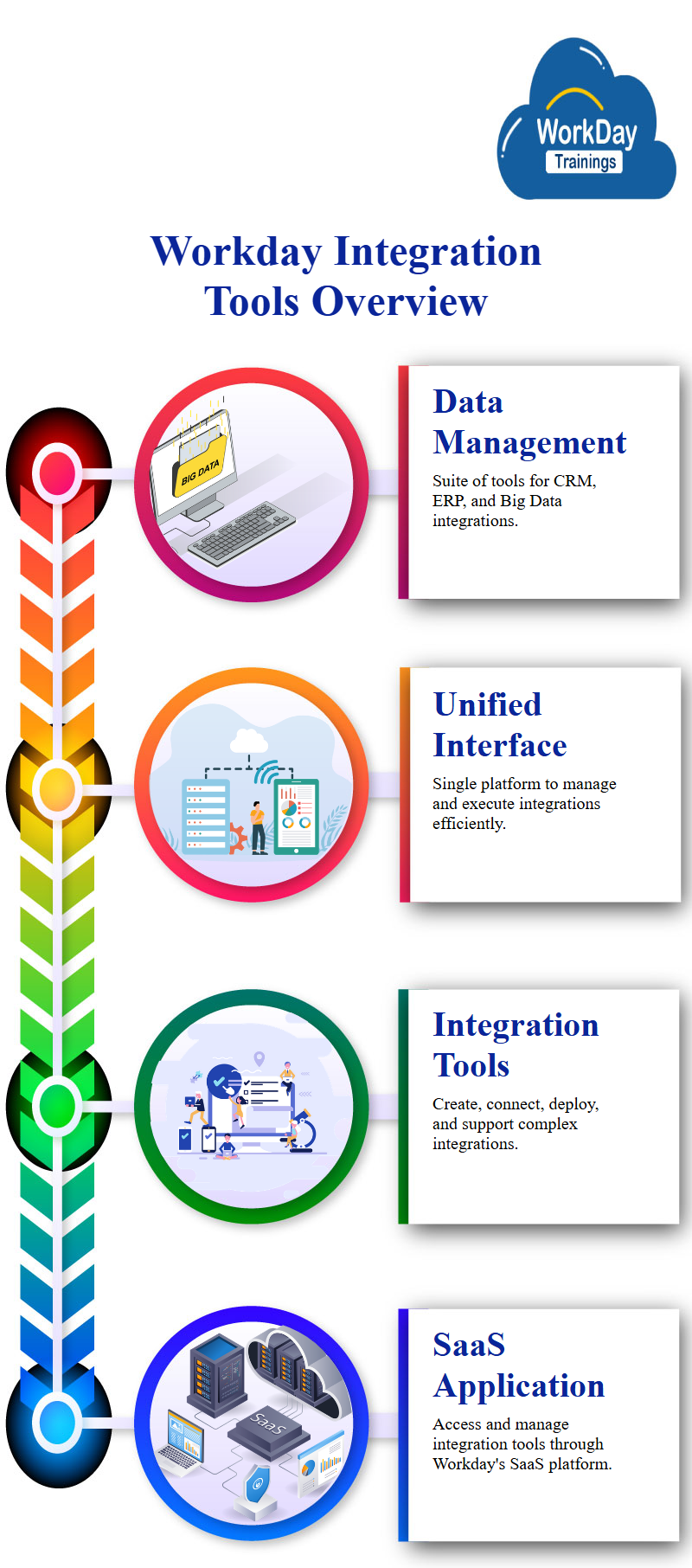
Workday offers several built‑in options, each suited to different technical skill levels and project scopes.
Enterprise Interface Builder (EIB)
EIB is the most accessible tool—think of it as a wizard that lets you export or import CSV files with just a few clicks. It’s ideal for batch transfers, such as loading a month’s worth of new hires or pulling a payroll report for an external system.
Workday Studio
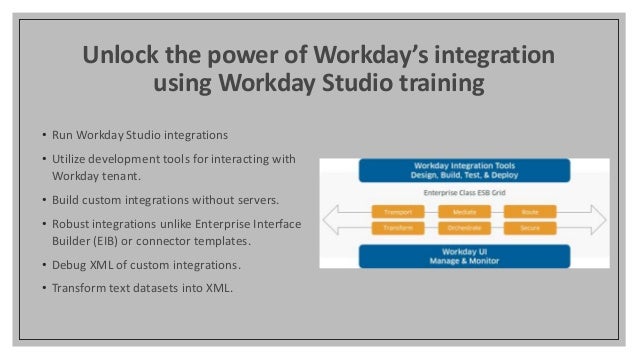
When you need more complex logic—multiple steps, conditional branching, or custom error handling—Workday Studio steps in. It’s a full‑featured Eclipse‑based IDE where developers can assemble integration “components” using drag‑and‑drop, then compile them into a deployable package.
Cloud Connectors
These are pre‑built, vendor‑maintained connectors for popular SaaS solutions like Salesforce, ServiceNow, and ADP. Cloud Connectors reduce development time dramatically; you simply configure authentication, map fields, and schedule runs.
Custom APIs
Workday’s REST and SOAP APIs expose virtually every object in the system. If the out‑of‑the‑box tools don’t cover your use case, a developer can write custom code that calls these endpoints directly, giving you full control over payload structure and timing.
Steps to Build Your First Integration
Even a modest data exchange can be assembled in a handful of stages. Follow this checklist to stay organized:
- Define the business need. Pinpoint which records must move, how often, and who will consume them.
- Choose the right tool. For a one‑off CSV upload, EIB will likely suffice; for real‑time sync, consider a Cloud Connector or API.
- Map source to target fields. Use Workday’s data dictionary to ensure each column aligns with the correct Workday attribute.
- Set up authentication. Whether you’re using OAuth for a connector or a service account for an API, security credentials must be stored safely.
- Test in a sandbox. Run a small data set through the integration and verify that records appear as expected in Workday.
- Schedule or trigger execution. Decide if the flow runs on a timer, after a specific event, or manually via a button.
- Monitor and log. Enable Workday’s integration logs so you can spot failures early and diagnose root causes.
Best Practices for Reliable Integrations
Consistency isn’t a happy accident; it comes from disciplined design.
- Keep data transformations as simple as possible—complex calculations belong in the source system, not in Workday.
- Version your integration assets. A naming convention like ProjectX_EIB_v1 helps you roll back if something breaks.
- Separate inbound and outbound flows. Mixing directions in a single EIB can cause circular updates.
- Leverage Workday’s built‑in error handling. Configure notifications so the responsible team receives an email the moment a job fails.
- Document field mappings and business rules in a living wiki; future developers will thank you.
Troubleshooting Common Issues
Even with careful planning, hiccups happen. Here are three frequent roadblocks and how to resolve them.
Missing fields in the payload. Workday will reject the file and list the offending columns. Double‑check your mapping against the latest data dictionary, as attribute names can change between releases.
Authentication timeouts. Cloud Connectors often rely on OAuth tokens that expire after an hour. Refresh the token automatically or schedule a token‑renewal job to keep the connection alive.
Duplicate records. If your source system doesn’t enforce unique IDs, the integration may create multiple entries for the same employee. Use Workday’s “business key” field to dedupe before import.
FAQ
Do I need a developer to use EIB?
Not necessarily. EIB’s guided UI lets functional analysts build basic imports and exports without writing code, though a technical partner can help with advanced data transformations.
Can Workday integrations run in real time?
Yes, but you’ll typically use Cloud Connectors or custom APIs for near‑instantaneous sync. EIB is batch‑oriented and better suited for nightly or weekly jobs.
How do I monitor integration health?
Workday’s Integration Dashboard provides status indicators, error counts, and runtime logs. Pair this with an external monitoring tool if you need SLA alerts.
Is it safe to store credentials in Workday?
Workday encrypts integration credentials at rest and masks them in the UI. Still, follow the principle of least privilege—grant only the scopes necessary for each connection.