Craft The Perfect Twitter Header: A Complete Visual Guide
Your Twitter (now X) profile is often the first handshake a new visitor receives from you. While your bio handles the text and your profile picture handles the face, the header banner does the heavy lifting for first impressions. It sets the tone, establishes authority, and can subtly guide users toward following you or checking out your latest projects. Getting it right isn’t just about picking a pretty picture from a stock library; it’s about strategic visual communication.
Many people overlook this large real estate at the top of their profile, treating it as an afterthought. However, in the crowded feed of social media, a dull or cluttered header is a missed opportunity to amplify your personal or brand narrative. This guide breaks down how to design a header that works for you, balancing aesthetics with functional needs.
Understanding the Technical Constraints
Before you start designing, you need to know what you are working with. Twitter has specific dimensions that dictate how your image will appear across different devices. The official recommended size is 1500 x 500 pixels. This is your starting point. If you upload an image that is too large or too small, the platform will crop or squish it, often ruining your carefully placed graphics.
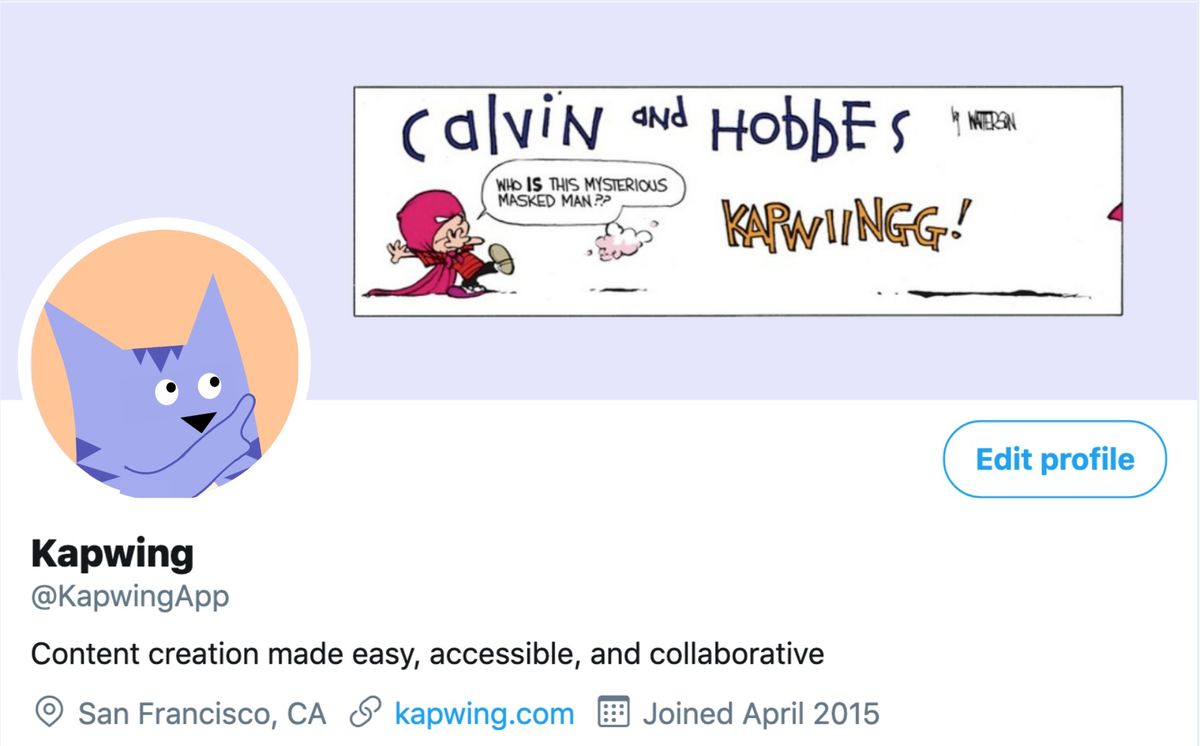
However, knowing the pixel count is only half the battle. The real trick lies in understanding the safe zone. On desktop browsers, the full 1500 x 500 area is visible. On mobile devices, the view is different. Your profile picture, which sits in the bottom left corner, overlaps into the header space. If you place critical text or logos in that overlapping area, mobile users will see them obscured by your avatar. A good rule of thumb is to keep all essential elements—like your headline or call-to-action—towards the right side of the design and avoid the bottom-left quadrant entirely.
File format also matters. Twitter supports JPG, PNG, and GIF files. PNGs are generally preferred for graphics with sharp edges or text because they maintain crispness without the compression artifacts that often plague JPGs. The file size must be under 5 MB. Keeping your file size smaller without sacrificing quality ensures faster loading times, which is crucial for retaining user attention in a fast-scrolling environment.
Defining Your Visual Identity
Once you know the dimensions, look inward. What do you want your header to say before a user reads your bio? For personal brands, this is often about reinforcing your niche and personality. If you are a developer, minimal code snippets or a clean, dark-mode aesthetic might resonate. If you are a lifestyle influencer, vibrant colors and lifestyle imagery might be more appropriate. The key is consistency. Your header should feel like a natural extension of your profile picture and your bio.
Consider your color palette. Use colors that are recognizable as part of your brand identity. If your logo uses specific shades of blue and white, incorporate those same hex codes into your header background. This creates a cohesive visual thread that makes your profile look professional and intentional. Avoid using too many competing colors. A header with five different bold colors can look chaotic and distract from the message you are trying to convey. Simplicity often wins.
Typography plays a huge role here. Since space is limited, you have room for only a few words. Choose a font that is legible at a small size. Sans-serif fonts tend to perform well on screens because of their clean lines and readability. Avoid script or overly decorative fonts for main headlines, as they can become unreadable on mobile devices. Your header text should complement your bio, not repeat it. If your bio says "Digital Marketing Expert," your header might say "Helping Brands Grow Online." It’s a subtle difference, but it provides additional context and value.
Strategic Elements to Include
A header can do more than just look good; it can drive action. Think about what you want your visitors to do. Do you want them to check out your latest podcast? Do you want them to sign up for your newsletter? Including a subtle call-to-action (CTA) in your header can guide this behavior. For example, you might include a small graphic that points to your pinned tweet, which often contains your best content or latest announcement.
- Showcase your latest product or service: If you have a new book out, a new course launching, or a new product release, feature it prominently in your header. This keeps your top-of-mind awareness high for this specific offering.
- Reinforce your credibility: Include logos of media outlets you’ve been featured in, clients you’ve worked with, or awards you’ve received. This social proof can build trust with new visitors who are evaluating whether to follow you.
- Create a sense of community: If you host a regular Twitter Space or a weekly newsletter, mention it in your header. This invites users to join your community and stay engaged with your content beyond just your tweets.
Remember, less is often more. Don’t clutter your header with too much information. Choose one or two key messages to highlight and let the rest of your profile handle the details. A clean, focused design is easier to read and more visually appealing than a crowded, messy one.
Tools and Resources for Design
You don’t need to be a professional graphic designer to create a stunning Twitter header. Several user-friendly tools make this process accessible to everyone. Canva is a popular choice for its drag-and-drop interface and extensive library of templates. It offers pre-sized Twitter header templates that you can customize with your own colors, fonts, and images. Adobe Express is another powerful option, offering high-quality design features and stock assets. For those who prefer more control, Photoshop or GIMP provide advanced editing capabilities, allowing you to create custom graphics from scratch.
When using these tools, focus on quality. Use high-resolution images to avoid pixelation. If you are using stock photos, choose ones that are relevant to your niche and convey the right emotion. Avoid clichéd stock images that look generic or overused. Instead, opt for authentic, relatable visuals that resonate with your target audience.
Many of these platforms also offer background removal tools, which can be useful if you want to overlay your own images or text onto a custom background. This allows you to create a unique, personalized look that stands out from the crowd.
Common Mistakes to Avoid
Even with the best tools, it’s easy to make mistakes that can detract from the effectiveness of your header. One common error is placing critical content in the blind spot where your profile picture overlaps. Always preview your design on both desktop and mobile views to ensure that all essential elements are visible. Another mistake is using too much text. Remember that your header is not a billboard; it’s a visual accent. Keep your text concise and impactful.
Ignoring brand consistency is another pitfall. Your header should align with the rest of your online presence, including your website, other social media profiles, and marketing materials. Using inconsistent colors, fonts, or imagery can create a disjointed brand experience that confuses your audience. Finally, avoid using low-quality or pixelated images. This can make your profile look unprofessional and undermine your credibility.
Another subtle but important mistake is failing to update your header regularly. As your brand evolves, so should your visual identity. Outdated headers can make your profile look stale and disconnected from your current message. Regular updates keep your profile fresh and relevant, signaling to your audience that you are active and engaged.
Final Thoughts on Execution
Crafting the perfect Twitter header is an iterative process. It involves understanding your audience, defining your visual identity, and experimenting with different design elements. Don’t be afraid to test different layouts and styles. Pay attention to how users respond to your header and be willing to make adjustments based on their feedback. A well-designed header can significantly enhance your overall brand presence and help you stand out in the crowded social media landscape.
Ultimately, your header is a reflection of who you are and what you stand for. Take the time to get it right, and you’ll create a strong first impression that resonates with your audience and drives meaningful engagement. It’s a small detail, but in the world of social media, small details can make a big difference.
FAQ
What is the best file format for a Twitter header?
PNG is generally the best format for Twitter headers because it supports transparency and maintains high image quality without compression artifacts. JPG is also acceptable, especially for photos, but PNG is preferred for graphics and text-heavy designs.
Can I use a video as my Twitter header?
No, Twitter does not support video headers. You can only use static images (JPG, PNG, or GIF). GIFs can be animated, but they are treated as image files and have strict file size limitations.
How often should I update my Twitter header?
There is no strict rule, but it’s a good practice to update your header every time you launch a new product, service, or campaign. You might also want to refresh it seasonally or whenever you make significant changes to